ᎣᏏᏲ. ᏙᎯᏧ? Hey, welcome back!
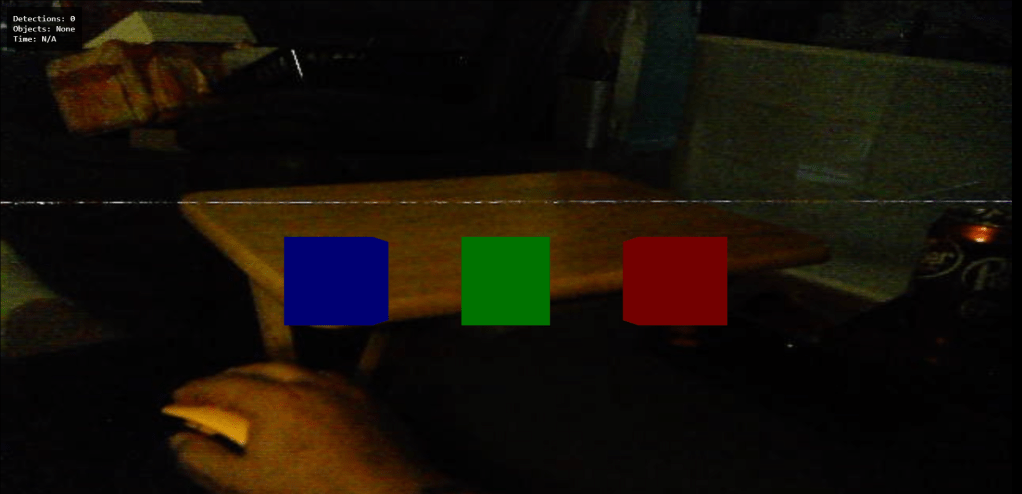
I FINALLY, have all of the elements that I wanted to work, working. I’ve got so much more work to do. However, not before celebrating this win. I’d been attempting to integrate gestures with BabylonJS. Now, I did it different than anyone else, which is why it took me a long time. I detect the gestures with Mediapipe and OpenCV then send that detection data to the front end via a websocket. On the front end, BabylonJS (which has it’s projection matching OpenCV) takes the gesture data and decides about intersection of cubes.
I’m working on the Holographic display that BabylonJS has for its MSTK, but I can pinch and move cubes, which doesn’t seem like much, but when you consider most people would use WebRTC, mediapipe js, with BabylonJS and not go to this much work, you can hopefully understand what has happened.
Now, why don’t I just detect gestures on the front end? Because there are things I need the backend to do with gestures, not much, but I do need them. In the upcoming weeks, I’ll discuss those elements. Most of the work will be on the front end and manipulating objects on the front end… not just cubes.
Here’s a quick list of what’s coming up:
Object Detection:
Works: with COCO categories and abilities to do more
Need: to customize overlays for some objects in BabylonJS – so different scenes or just detach objects from the scene and add those objects to the scene that are for a specific category. I don’t know which, yet, but that’s what we’ll figure out.
Gestures:
Works: with BabylonJS and can display wireframes for hands on the backend
Need: to have a few gestures just for OpenCV
Need: to put together a wide array of gestures like swipes, taps, etc
VOX:
Works: with some commands and intermittent because of latency in user speaking
Need: to make it offline
Need: to make sure that the commands are documented in JSGF so that the respective areas can process the commands
Camera:
Works: Camerapool for more than one camera, camera for each camera
Need: test on other machines like my RaspberryPi with a USB camera and Raspberry Pi camera
Need: cleanup of filters and plugins
Need: testing of plugins to ensure they still work
Display:
Works: Camera at full screen on MadGaze glasses and laptop screen
Need: Testing smaller interfaces and other glasses or goggles
Need: more UI work for different elements that will eventually be included
Need: a better set of glasses that I can remove the browser background and make it transparent so I don’t have the need for the video AND I can see my hands in real time because the viewers aren’t basically just screens.
Misc:
Works: So many things
Needs: Even more things
Needs: A lot of code cleanup and refactoring – I’ve spent a good deal of time getting things to work that I’ve messed up some of my code flow. I need to move things around and get them where it makes more sense as well as adding properties for the properties file and much more.
This update is pretty exciting for me. I spent a long time working to get where I’ve been numerous times before. This time, I’m where I wanted to be to begin with. I will also confess that there are some changes, particularly in getting the viewer settings the same with BabylonJS and OpenCV that I used two LLMs to fix my code. I can certainly see how they aid in coding and both did an amazing job with assistance.
Screenshots:
Remember these are from a pair of MadGaze glasses that I bought 6 years ago. I’m very certain I can recreate this with any of the other headsets I’ve built as it’s just a camera and IMU on the headset with the display.
The first image is just the three cubes displaying in BabylonJS.
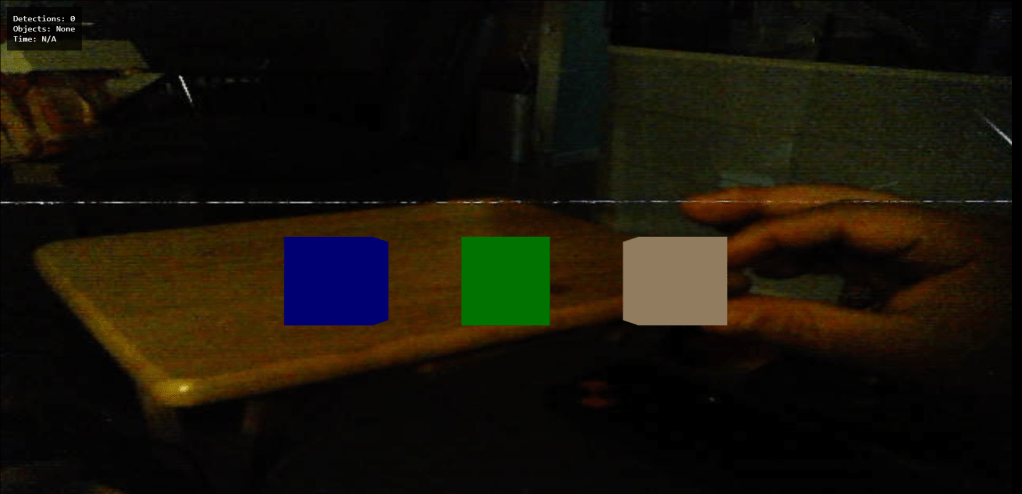
This shows my fingers in a pinch-selection of the red cube and how it glows tan while selected.
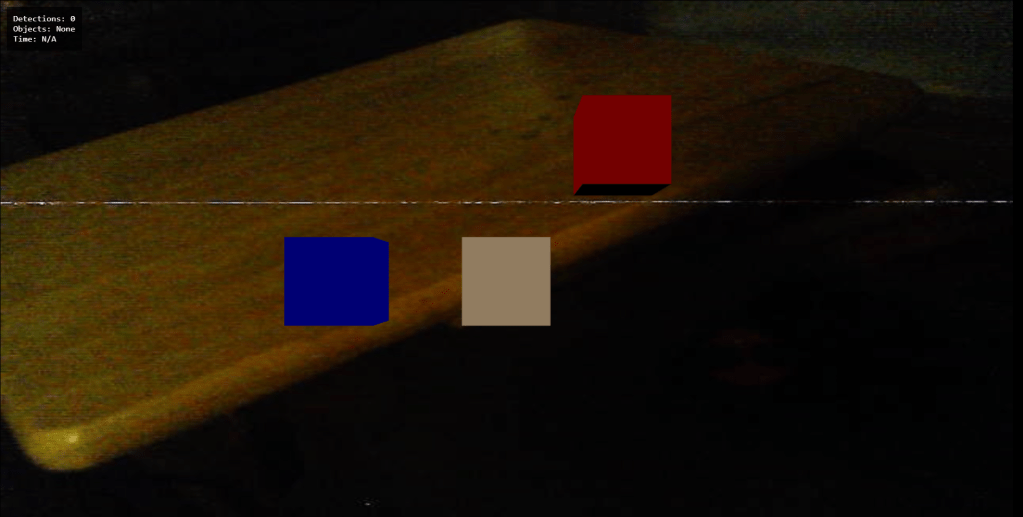
This one shows that I’ve moved it up a little bit, still selected as I haven’t let go.

Finally, letting the cube go in its new location and it’s back to red having been deselected.
So much to do, but for now, I’m going to take a break. I’m extremely pleased with this progress.
Until next time. Dodadagohvi. ᏙᏓᏓᎪᎲᎢ.
 IN MY MIND BY WINK DOUBLEGUNS